
BUILDING WITH GPT : CODEX
Using Codex Skills and Plugins to build apps and extentions
How to get started with Codex
There are three simple ways to start using Codex.
Web or APP:
This is the easiest place to begin. Open Codex in the browser or app, connect your project, and start assigning tasks in a more visual workflow.
CLI:
Use Codex in the terminal if you want to work directly inside a local folder or repository. This is a great option for developers who prefer command-line workflows.
IDE:
Use Codex alongside your editor if you want help while staying inside your normal development environment.
Think of it like a recipe
Imagine you have a recipe for a cake batter.
That batter doesn't care what you bake it into. Cupcakes? Layer cake? Cake pops? Same batter. Different shape.
That's exactly how Codex skills work. A skill is a set of instructions — a recipe — for how to build something. And it doesn't care what the final product looks like.
if you already have a GPT Plus account then you have free monthly access to codex through the normal subscription.
Three things to know (that's it)
Skill = the recipe. Instructions that tell Codex how to build something.
Plugin = the box you put the recipe in. Makes it easy to share and install.
Node extension = just one thing you can bake with that recipe. A ComfyUI add‑on.
The point? The same recipe can make many different things.
Here is how a skill lokks like ( Documentation )
my-skill/
SKILL.md Required: instructions + metadata
scripts/ Optional: executable code
references/ Optional: documentation
assets/ Optional: templates, resources
agents/
openai.yaml
Here's the trick when using Codex
I like to run deep research into any topics related to the project by pointing it pages like arXiv to warm up context.
Keep your actual logic in one place, separate and structure from the start.
Ask for design systems for front end and structure backend things like functions into its own files like functions so codex dont have to keep track of large files.
my-project/
├── a/
├── b/
├── c/
├── d/
└── e/
So what can you actually build?
- Standalone apps — desktop software people can download and use
- Websites — your logic running in a browser, no ComfyUI needed
- Browser extensions — Chrome or Firefox add-ons
- IDE plugins — tools inside VS Code or JetBrains
- CLI tools — simple text commands in a terminal
- Integrations — plugins for Blender, Discord, OBS, Photoshop, anything with a plugin system
Whatever you can think of, I can also help with hardware based physical projects using micro controllers etc
Real proof it works
The Node Extension Builder — This repo is essentially a skill encoded into code. It knows exactly how ComfyUI nodes should be structured: where files go, how classes should look, how to wire everything up. In today's Codex, you could bundle that into a plugin and share it with one click.
This can be installed right into codex and reused to build more new skills like the two examples I have listed below
Source https://github.com/criskb/comfyui-node-extension-builder
Comfy Storyboard — A working ComfyUI node building storyboards
Built using codex skill comfy-node-extention-builder
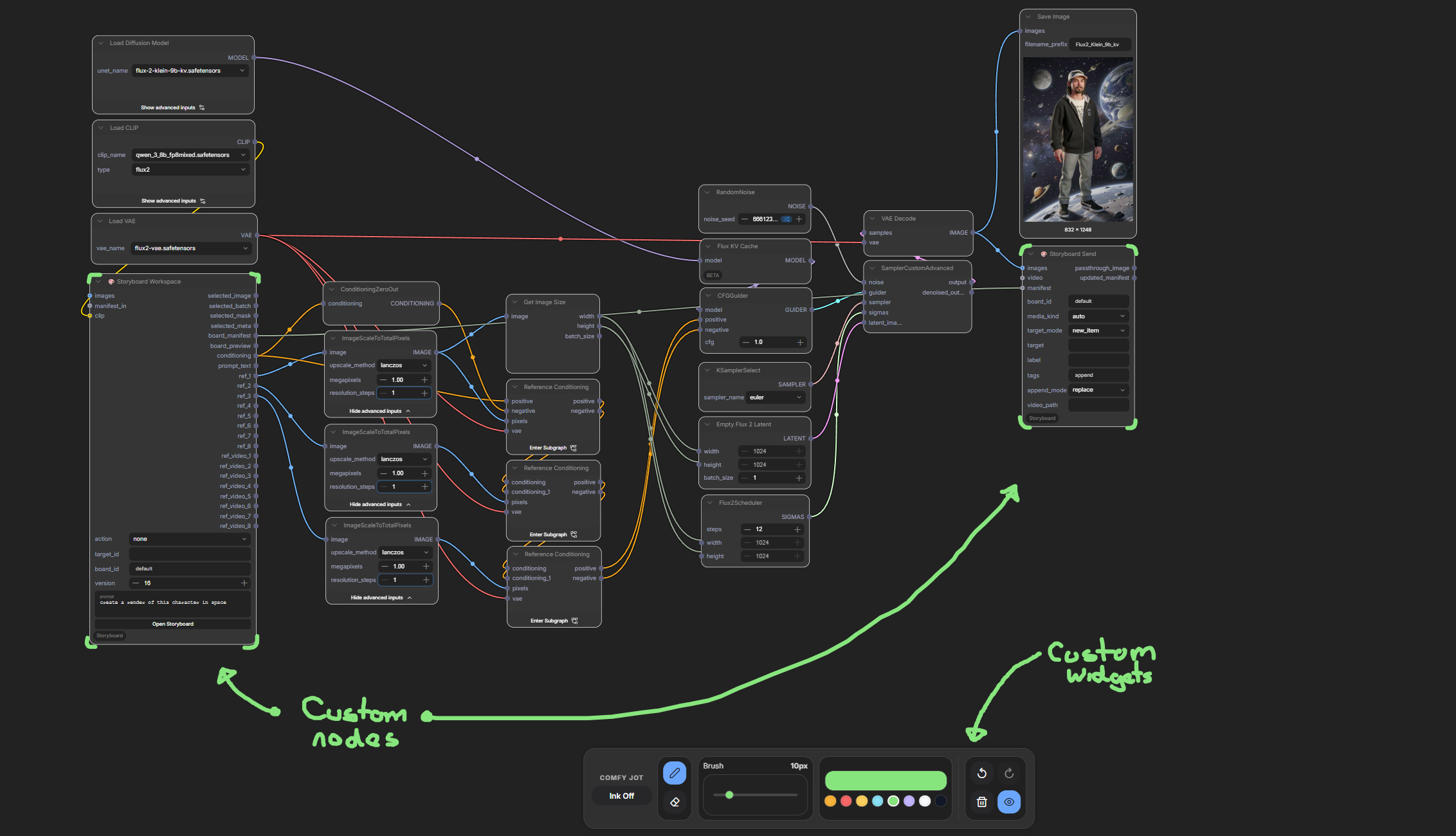
Node View
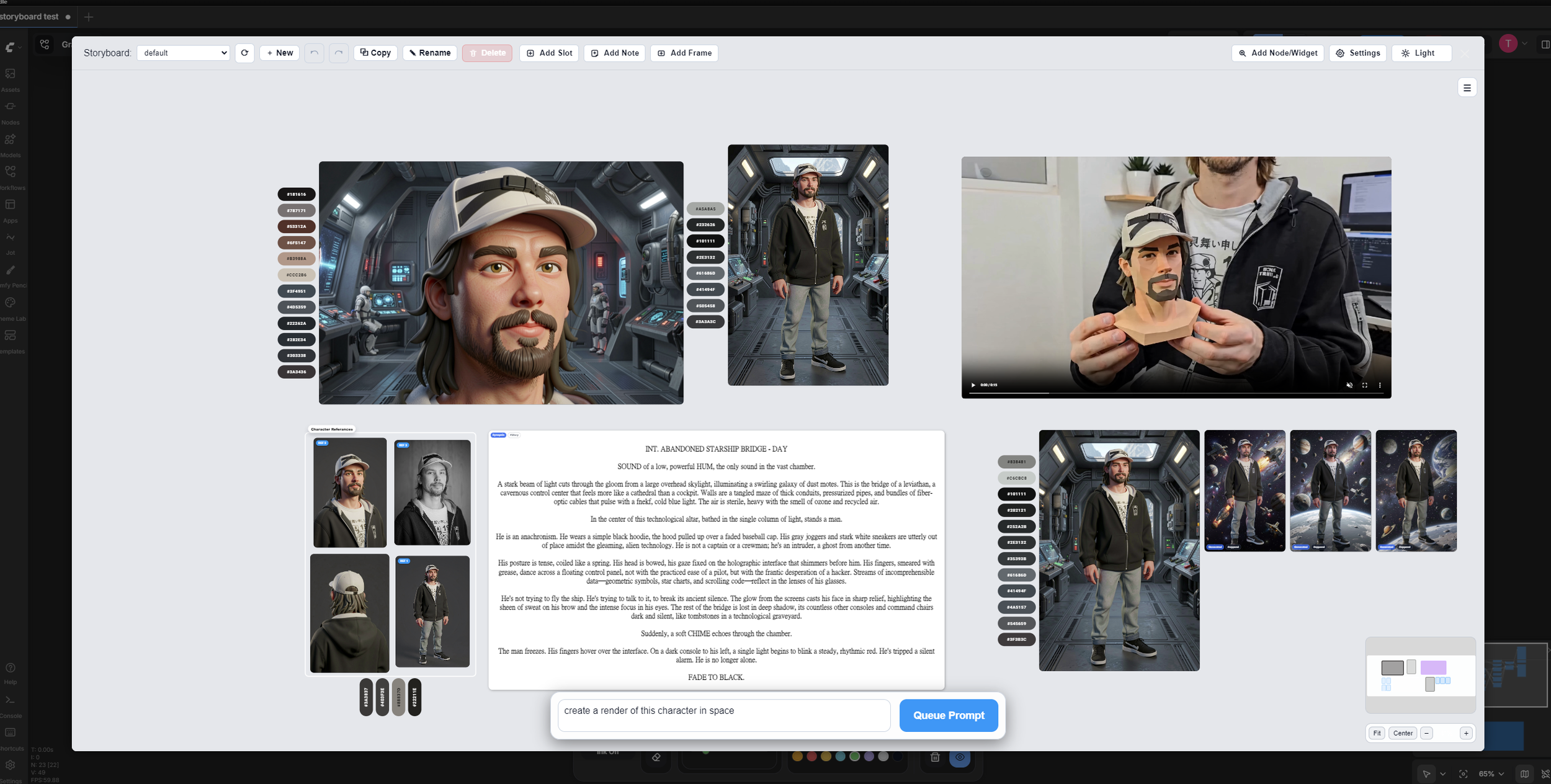
Storyboard View
ComfyPencil — A working ComfyUI node for pencil-style drawing.
Built using codex skill comfy-node-extention-builder
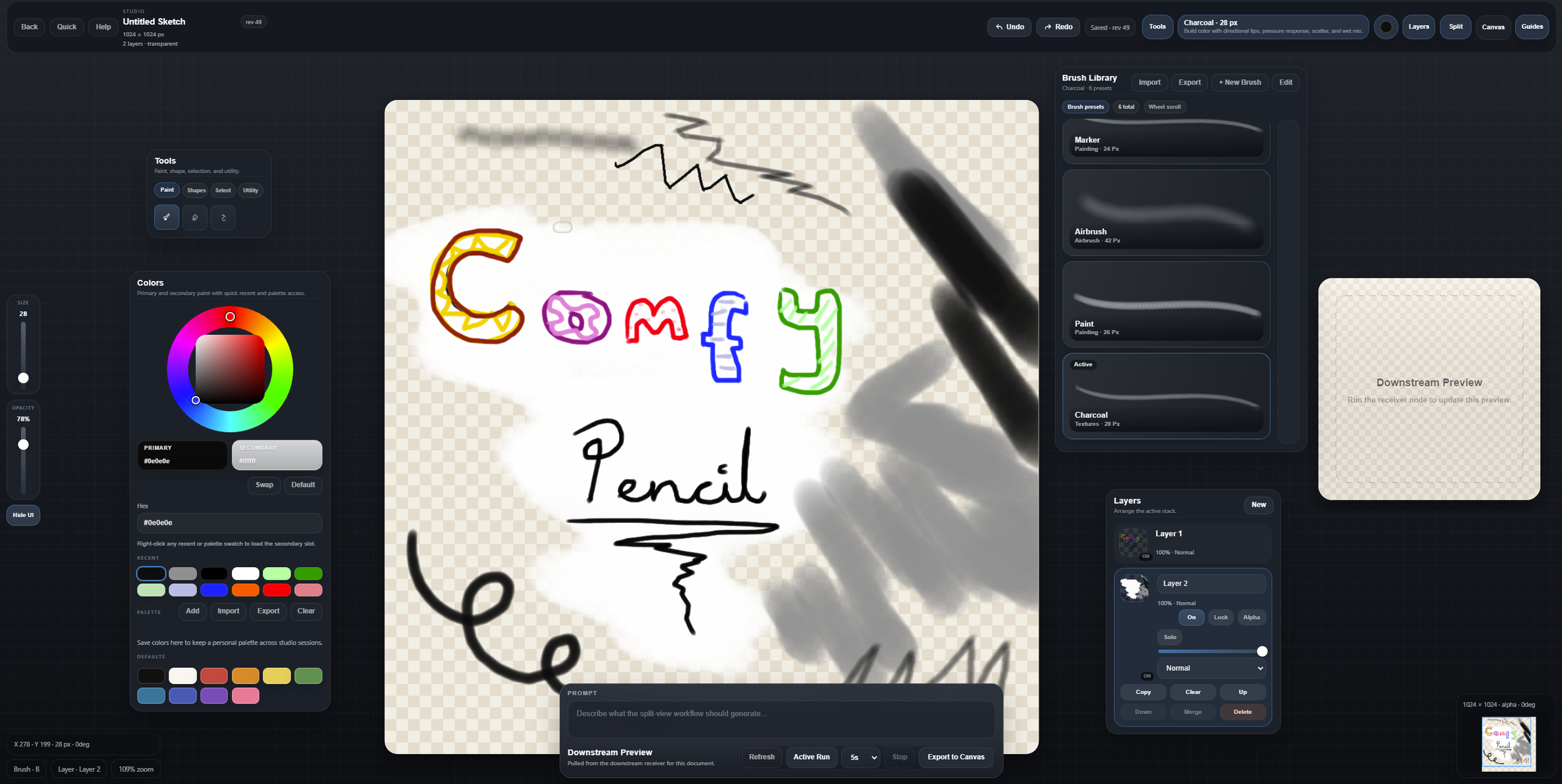
Canvas View
The new plugin system changes everything
Here's where it gets really good.
Codex now has a plugin marketplace — think of it like an app store for workflows. You write a skill, package it as a plugin, and anyone can install it.
No more "clone this repo and figure it out." Just click install.
And because skills aren't locked to one output, your plugin could offer multiple options: "Generate a ComfyUI node," "Generate a web API," "Generate a VS Code extension" — all from the same underlying recipe.
How to start (no PhD required)
1. Look at the Extension Builder — Clone it, browse the files, notice how the core logic is kept separate from the ComfyUI wrapper.
2. Look at ComfyPencil — See the same pattern in a finished product. Core logic on one side, ComfyUI interface on the other.
3. Write your own skill — Start small. Write a SKILL.md that describes how your project should be built. Keep core logic separate from any framework. codex can also create skills for you based on experience in a project you have built with it.
4. Package it as a plugin — Add a plugin.json manifest, put it in a marketplace, and share it. Others can install it in Codex with a few clicks.
---
The bottom line
Skills are recipes. Plugins are how you share them. ComfyUI nodes are just one thing you can bake.
The same approach can build apps, websites, extensions, and integrations for almost any platform.
Start thinking in skills.
